Know what's already committed before the month gets away from you.
Recontraq pulls your statements in, works out what recurs, and shows the money that is already spoken for — subscriptions, premiums, transfers, and everything you have planned — in one place.
PDF, CSV, Excel and Google Sheets import·No bank passwords, ever·Account numbers encrypted at rest
18
Australian bank statement parsers
4
Import formats: PDF, CSV, Excel, Sheets
9
Configurable dashboard widgets
0
Bank passwords requested
The product
Dashboard
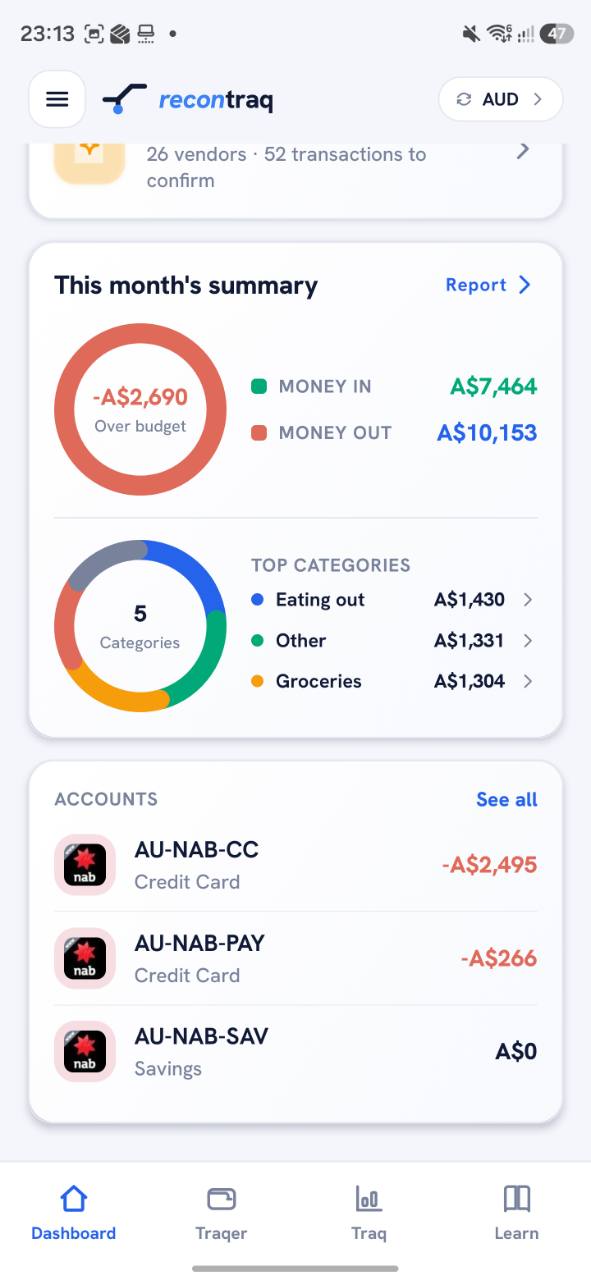
Safe to spend, worked out for you.
The dashboard opens on what is left after everything already committed is accounted for — then money in, money out, top categories, and every account balance underneath.
- Safe-to-spend calculation
- Money in vs money out
- Account balances with opening balance
- Nine rearrangeable widgets
Traq
Where the money actually went.
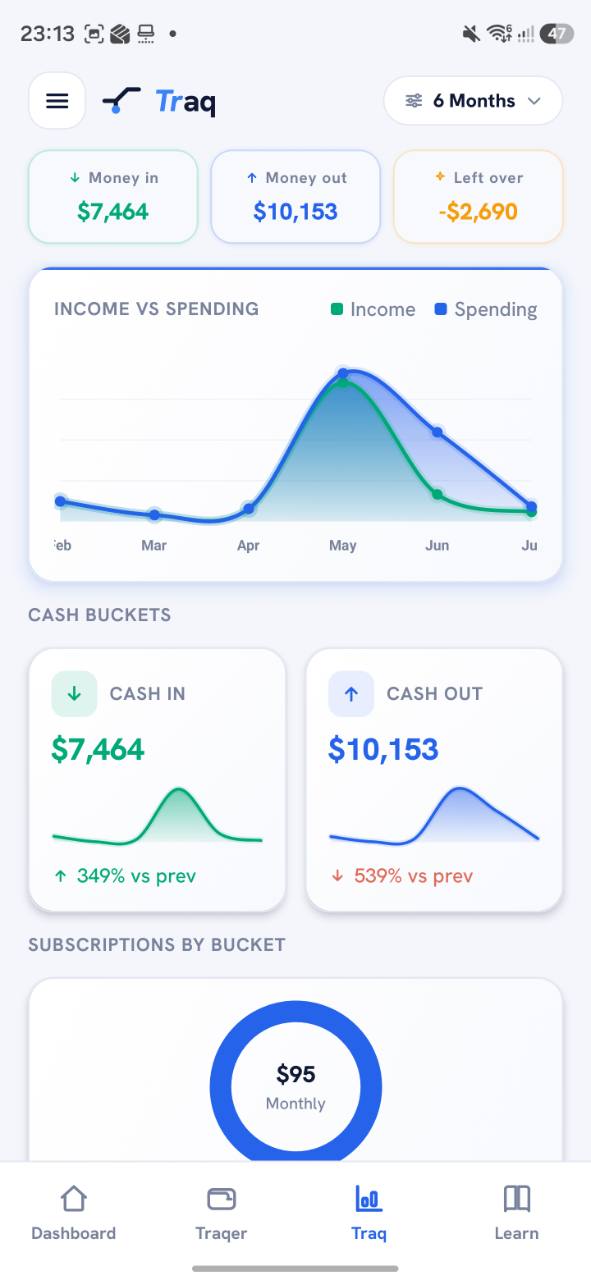
Traq turns transaction history into trend lines and cash buckets across selectable periods, so a bad month is visible as a shape rather than a number you have to remember.
- Income against spending
- Six-month trend view
- Cash in and cash out buckets
- Tap any chart to drill down
Traqer
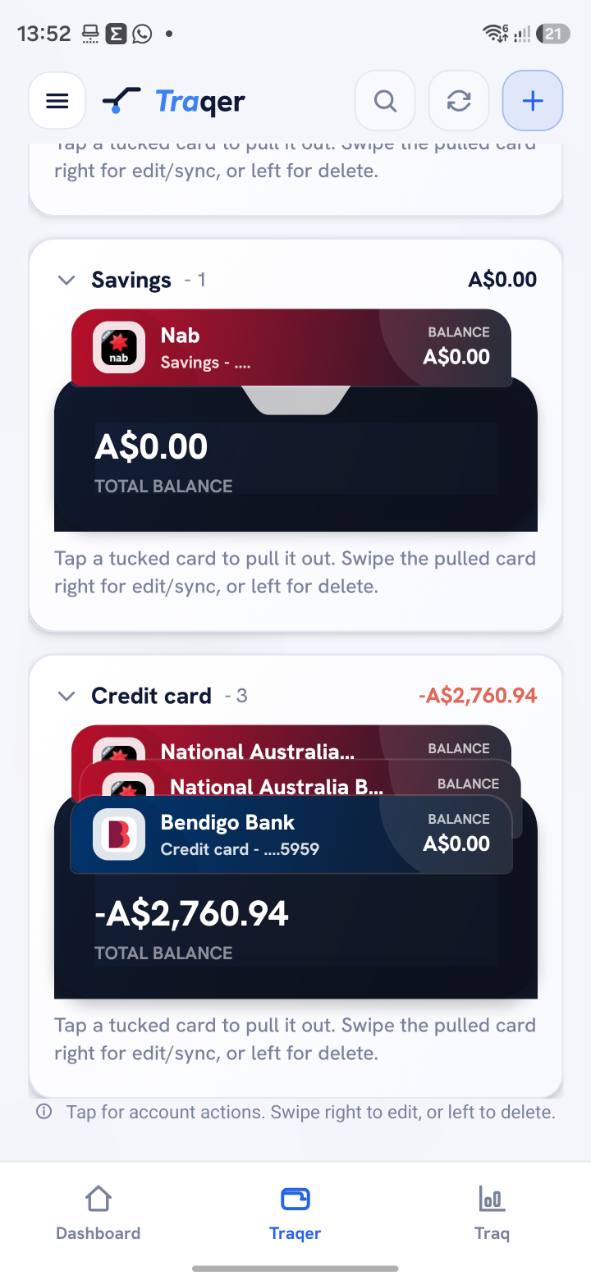
Accounts, vendors, and the review queue.
Search and filter transactions, work the review queue, correct a category with a swipe, or long-press to select many at once and categorise, ignore, or delete them in bulk.
- Swipe to accept a suggestion
- Long-press multi-select
- Vendor review queue
- Ignored transactions view
Breakdown
Reporting you can filter, export, and act on.
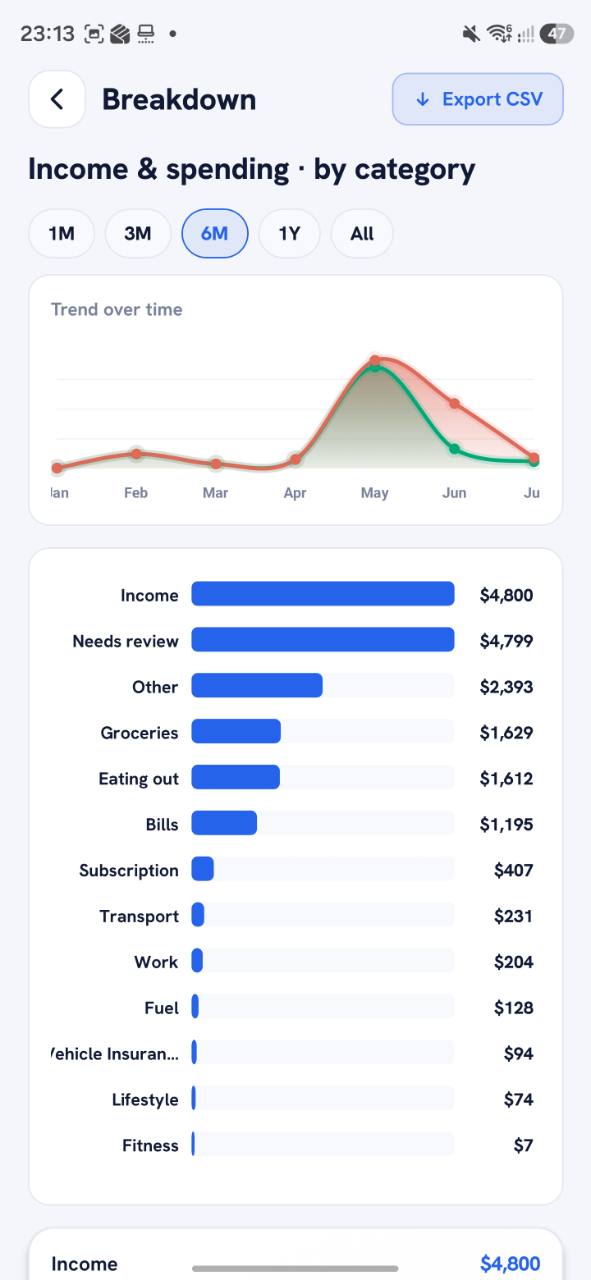
Breakdown lists category values and trend lines over a period you choose, with CSV export when the analysis needs to continue somewhere else.
- Category and vendor totals
- Selectable periods
- CSV export
- Income and expense split
Capabilities
A whole product, not a single dashboard.
Every tile below is a surface that exists in the shipped app today.
Safe to spend
Recontraq subtracts what is already committed — recurring payments, upcoming premiums, money you have assigned to plans — from what is actually in the account, and shows the remainder.
PlanTraq
Budgets and goals in one planning hub, each with a guided wizard. Assign money forward and see the effect on what is safe to spend today.
Auto-categorisation you stay in charge of
Uncategorised transactions arrive with a suggested category that knows whether money moved in or out. Swipe right to accept it, swipe to change it, or long-press to fix a whole batch at once.
Subscriptions and recurring payments
Detected and manual subscriptions are normalised to a monthly-equivalent cost so a yearly charge and a weekly one can be compared honestly.
Insurance policies
Insurer, policy name and number, premium, cover amount, renewal and payment dates, with premium transactions linked back to the policy.
Reminders that arrive on the phone
A daily reminder engine watches subscriptions, insurance renewals, budgets and goals, and schedules real Android notifications that deep-link straight to the screen that needs you.
Transfer detection
Structural matching pairs a debit with its matching credit across your accounts, so moving your own money between accounts never counts as spending.
A dashboard you arrange
Balance hero, review queue, cashflow snapshot, plans, subscriptions, insurance, premium progress, household spending, and accounts preview.
Search across everything
One search over transactions, vendors, categories, accounts and tags.
Manual transactions
Add money in or out by hand, with account, category, date and description.
Vendor review
Group transactions by merchant, confirm what a vendor is, and have it stick.
Chart drill-down
Tap a slice or a bar to open the transactions behind the number.
Learn and rewards
Short lessons, quizzes, reward points and a rotating daily tip.
Household view
Household and profile structure for a shared money picture.
Getting data in
Hand it a bank statement. It works out the rest.
Recontraq reads Australian bank statement PDFs directly — it detects which bank issued the statement rather than asking you. CSV, Excel and Google Sheets go through the same pipeline.
PDF statement
18 Australian bank parsers, bank auto-detected
CSV
Any export, columns mapped once and remembered
Excel
Workbooks read sheet by sheet
Google Sheets
Read-only OAuth connection
Read
The file is parsed and the bank identified without you naming it.
Map
Columns are matched to date, description, amount and balance, and the mapping is saved as a template.
Dedupe
Rows already in your history are detected and skipped rather than doubled up.
Review
Detected accounts are confirmed, mapped to existing ones, or skipped before anything is written.
Live open-banking feeds are not part of the current build. Recontraq does not ask for internet banking credentials and does not claim Consumer Data Right accreditation.
Trust
What Recontraq does with your money data, stated plainly.
No bank passwords
Recontraq never asks for your internet banking credentials. Transactions arrive from files you export yourself or from a read-only spreadsheet connection you authorise.
Encrypted at rest
Stored account numbers are encrypted, and only the last four digits are ever returned to the app. Biometric unlock is available on supported devices.
Your data, exportable and deletable
Settings carry data sharing controls, CSV export, category and notification management, and account deletion with a documented process.
Clear boundaries
Recontraq is a tracking and organisation tool. It does not provide financial, tax, legal, investment, insurance, or credit advice, and does not claim Consumer Data Right accreditation.
Start with one statement.
Import a PDF or CSV, let Recontraq work out what recurs, and see what is actually left. The web app runs in the browser — no install needed to try it.
Questions, support, and security reports: [email protected]